Difference between revisions of "Transcripts"
From Student Progress Center
Jump to navigationJump to search| Line 2: | Line 2: | ||
Clicking "Transcripts" on the Student Home page will bring up a Transcript page described below. | Clicking "Transcripts" on the Student Home page will bring up a Transcript page described below. | ||
| − | #Click on "Transcripts" to view your child's grades.<br /><br />[[File: | + | #Click on "Transcripts" to view your child's grades.<br /><br />[[File:spctranscripts2.png]]<br /><br /> |
#Your child's transcript will be displayed in the format shown below. <br /><br />[[File:spctranscript2.png]]<br /><br /> | #Your child's transcript will be displayed in the format shown below. <br /><br />[[File:spctranscript2.png]]<br /><br /> | ||
#To return to the Student Home page, click the button "Student Home" in the upper left corner of the screen. | #To return to the Student Home page, click the button "Student Home" in the upper left corner of the screen. | ||
Revision as of 15:18, 15 October 2020
Clicking "Transcripts" on the Student Home page will bring up a Transcript page described below.
- Click on "Transcripts" to view your child's grades.
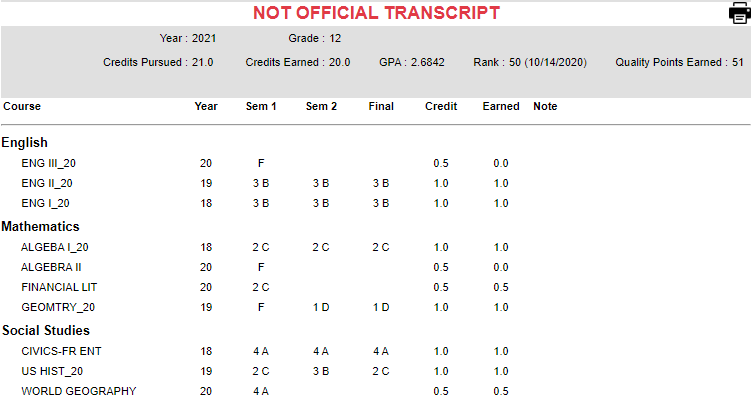
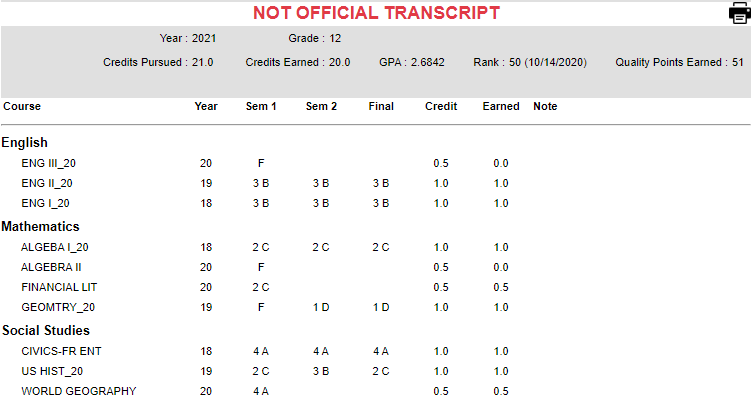
- Your child's transcript will be displayed in the format shown below.
- To return to the Student Home page, click the button "Student Home" in the upper left corner of the screen.
- To return to the Parent Home page, click the "Parent Home" button in the upper right corner of the screen.



