Difference between revisions of "Calendar"
From Student Progress Center
Jump to navigationJump to search| Line 7: | Line 7: | ||
#The "School" tab will show you the school calendar.<br /><br />[[File:Calendar2.png]]<br /><br /> | #The "School" tab will show you the school calendar.<br /><br />[[File:Calendar2.png]]<br /><br /> | ||
#The tabs at the right will display the calendar in either Day, Week or Month format.<br /><br />[[File:Calendar3.png]]<br /><br /> | #The tabs at the right will display the calendar in either Day, Week or Month format.<br /><br />[[File:Calendar3.png]]<br /><br /> | ||
| − | #The calendar at the top will allow you to navigate to your desired date. | + | #The calendar at the top will allow you to navigate to your desired date.<br /><br />[[File:Calendar3.png]]<br /><br /> |
#To return to the Student Home page, click the button "Student Home" in the upper left corner of the screen. | #To return to the Student Home page, click the button "Student Home" in the upper left corner of the screen. | ||
#To return to the main Student Progress Center Screen, click the "Main" button in the upper right corner of the screen. | #To return to the main Student Progress Center Screen, click the "Main" button in the upper right corner of the screen. | ||
Revision as of 03:21, 31 July 2014
After clicking on your child, the Student Home page will be displayed on the screen.
- Click on "Calendar" to view your child's activities.
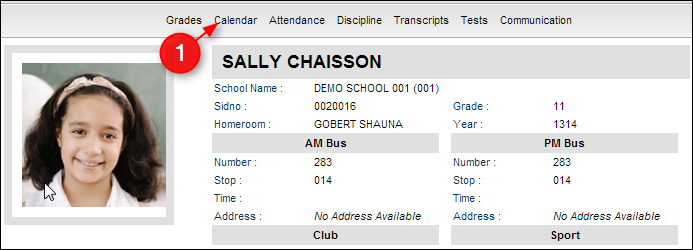
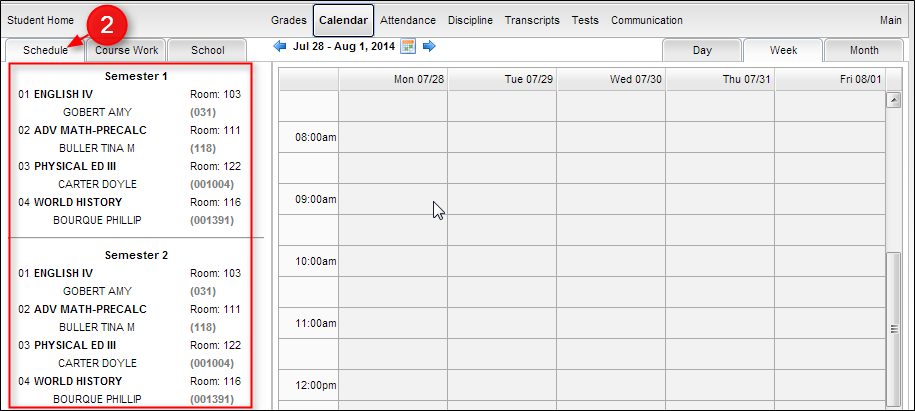
- A calendar will appear. On the left, under the tab of "Schedule", you will see your child's schedule.
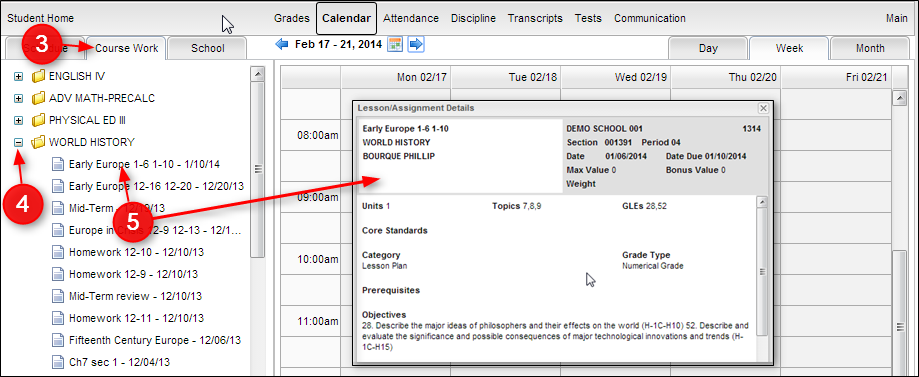
- The "Course Work" tab with show you the courses. Click the + symbol next to the course name to see assignments and lesson plans. Click the assignment title to see the details.
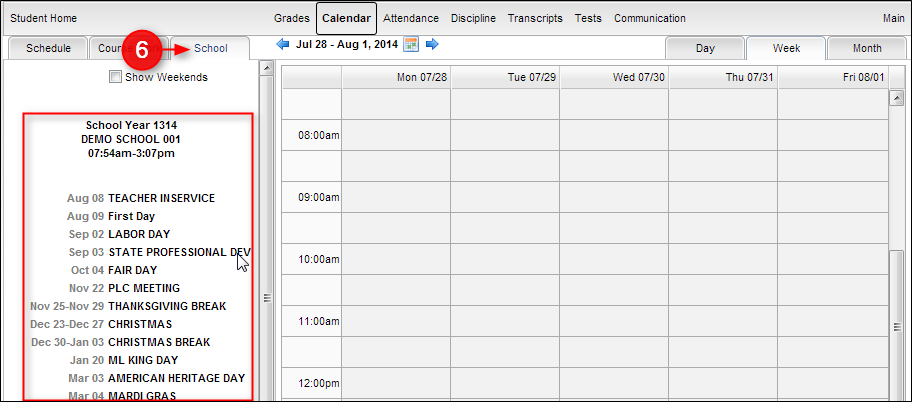
- The "School" tab will show you the school calendar.
- The tabs at the right will display the calendar in either Day, Week or Month format.
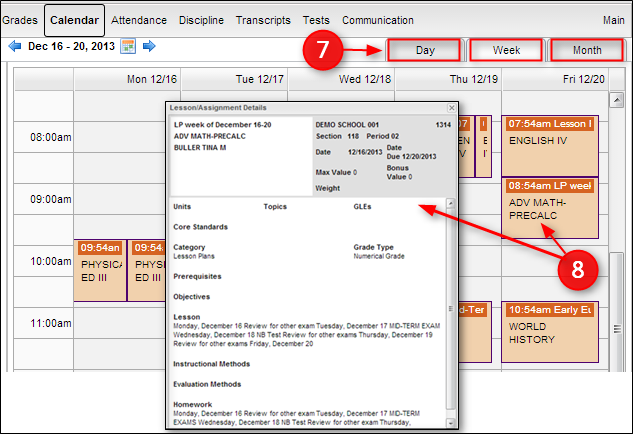
- The calendar at the top will allow you to navigate to your desired date.
- To return to the Student Home page, click the button "Student Home" in the upper left corner of the screen.
- To return to the main Student Progress Center Screen, click the "Main" button in the upper right corner of the screen.


